How to Choose the Right Integration Tool to Sync Jira with Azure DevOps
Why Jira Azure DevOps integrations fail and how to choose the right tool.
A practical guide for DevOpsand ITSM teams evaluating Jira Azure DevOps integration options, beforecommitting to a platform.
Two Great Tools, One Persistent Headache
Jira and Azure DevOps are both deeply embedded in enterprise development and operations workflows. Jira is the default project management and issue tracking platform for Atlassian-centric organizations. Azure DevOps is Microsoft's end-to-end platform for CI/CD pipelines, repositories, boards, and test plans. In many enterprises, different teams use both at the same time, or partner organizations use one while you use the other.
The need for a Jira Azure DevOps integration is therefore not theoretical. It is the practical reality of running a modern software delivery operation across teams that do not share a single toolchain.
The challenge is that most teams underestimate the complexity of getting this integration right. They pick a tool quickly, get it working in a basic test scenario, ship it to production, and then discover the limitations three months later when something breaks or the workflow evolves beyond what the connector can handle.
This article covers what to look for before you choose, the pitfalls that catch teams off guard, and what a well-functioning Jira Azure DevOps integration actually looks like in practice. The step-by-step technical setup guide is available in the ZigiOps documentation, so this article focuses on the decision that comes before the configuration.
Why Teams End Up Using Both Jira and Azure DevOps
It is rare for an enterprise to standardize on a single project tracking and DevOps platform across all teams and all functions. Jira is strong in issue tracking, sprint planning, roadmap visualization, and cross-functional project management. Azure DevOps excels in pipeline automation, repository management, test planning, and deployment governance.
Some organizations adopt both because their development teams use Azure DevOps for CI/CD while their product and QA teams prefer Jira's project management model. Others face the situation where a client, vendor, or partner operates on a different platform, and interoperability becomes a business requirement rather than a preference.
In either case, once both tools are in active use, the question is not whether to integrate them, but how to do it in a way that holds up over time, across real enterprise workloads, without creating ongoing maintenance burden.
What a Reliable Jira Azure DevOps Integration Actually Requires
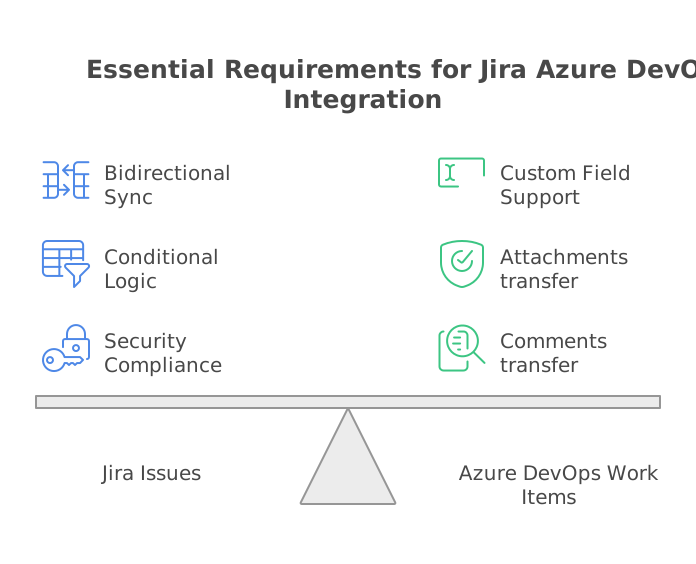
Before evaluating specific tools, it helps to be explicit about what the integration needs to do. Basic task-to-task synchronization is a starting point, not a complete solution. In practice, a production-grade Jira Azure DevOps integration needs to handle:
• Bidirectional sync: Changes in Jira should reflect in Azure DevOps, and vice versa, without manual intervention. This includes task creation, status updates, comments, and attachments, not just top-level field values.
• Custom field support: Both Jira and Azure DevOps are highly customizable. Enterprise deployments accumulate custom fields, custom issue types, non-standard status names, and organization-specific workflows. The integration must handle these without scripting workarounds.
• Conditional logic: Not everything should sync. You need the ability to define precise trigger conditions, such as only syncing issues of a specific type, priority, project, or label, so the integration does not create noise in either system.
• Resilience: What happens when one system is temporarily unavailable? Does the integration queue updates and retry, or does it silently drop records? In enterprise environments, silent failures are more dangerous than visible ones.
• Security compliance: Both Jira and Azure DevOps can contain sensitive project data, customer information, and internal roadmap details. The integration layer must handle this data securely, with full auditability and no unauthorized storage.
Any tool that cannot meet all five of these requirements in production will require workarounds, and workarounds tend to accumulate into technical debt that eventually forces a migration.
Five Pitfalls That Catch Teams Off Guard
Pitfall 1: Relying on a Native Connector That Only Goes One Way
Both Atlassian and Microsoft offer native integration options between Jira and Azure DevOps. These are a reasonable starting point for basic scenarios, but they typically offer limited directionality. You can push work items from Azure DevOps to Jira, but syncing updates back in the other direction is either not supported, not automatic, or requires additional configuration that quickly becomes fragile.
One-directional sync creates a situation where one team always has current information and the other team is always behind. Status changes made in Jira do not update the Azure DevOps work item. Comments added by the Azure DevOps team do not appear in Jira. The integration stops being a collaboration tool and starts being a one-time data push that needs manual follow-up.
What to check before committing: Ask specifically whether sync is bidirectional for comments and attachments, not just status and title. Those are the fields where the gap between a basic connector and a real integration platform becomes visible in daily use.
Pitfall 2: Custom Fields Are Not Supported Without Code
Generic connectors are built around standard fields in each system. As soon as your Jira projects use custom issue types, custom fields, or non-standard workflows, and most enterprise Jira deployments do, the connector requires manual workarounds. In practice, this means either writing a script to handle the custom logic, mapping everything to a standard field and losing data fidelity, or accepting that the integration simply does not cover those cases.
Scripts that compensate for connector limitations are some of the most fragile components in an enterprise IT stack. They are written once, rarely documented, and break silently when either system updates its schema, changes an API endpoint, or adds a required field.
What to check before committing: Ask whether the platform loads the full schema of both systems dynamically, including all custom fields, and whether custom field mapping is handled through a UI or requires scripting. If the answer involves any scripting, build the maintenance cost into your total cost of ownership calculation.
Pitfall 3: The Tool Is a Plugin, Not a Standalone Platform
Marketplace plugins for Jira or Azure DevOps look appealing because they install directly into a familiar environment. The trade-off is that they live inside one of your production systems, which means they are affected by every upgrade, every compatibility matrix change, and every policy shift from Atlassian or Microsoft.
A Jira plugin that handles Azure DevOps integration will need to be updated in lockstep with Jira's release cycle. If a Jira upgrade introduces a breaking change, the plugin stops working. If the plugin vendor is slow to release a compatible version, the integration is down during that window. And because the plugin runs inside Jira, any performance or stability issue in the plugin can affect the system it is installed in.
According to Atlassian's Marketplace security guidelines, plugins have access to the data and APIs of the host system. That access model is appropriate for some tools, but not ideal for integration components handling cross-system data flows.
What to check before committing: Determine whether the tool installs inside one of your systems or operates as a standalone application with API-level connections to both. A standalone platform requires no changes inside either Jira or Azure DevOps, is unaffected by upgrades to either system, and can be updated independently.
Pitfall 4: No Visibility Into What Is Actually Being Synced
Integration failures in production are often invisible. A record does not sync, an update is dropped, or a comment fails to transfer, and no one notices until a user in one system asks why the other system does not reflect the latest state. By the time the discrepancy is discovered, it is difficult to trace when it started or how many records are affected.
Many basic connectors do not provide meaningful logging, error reporting, or visibility into in-flight operations. You can see that the integration is running, but you cannot easily see which records were processed, which failed, and why.
What to check before committing: Look for a platform that provides full operational visibility: which records were extracted, what mapping was applied, whether the write to the target system succeeded, and what error occurred if it did not. This is nota luxury feature. It is essential for running an integration reliably in production and for troubleshooting quickly when something goes wrong.
Pitfall 5: The Platform Stores Your Data
A significant number of integration platforms work by pulling data from the source system, storing it in an intermediate cloud environment or database, and then pushing it to the target. This intermediate storage is often invisible to the teams using the integration, and it creates a compliance and security risk that is easy to overlook during evaluation.
When integration data is stored at rest in a third-party environment, it becomes subject to that vendor's security posture, data retention policies, and breach risk. For organizations operating under GDPR, SOC 2, or internal data classification policies, this can create audit findings that require remediation after the integration is already in production.
According to Gartner's research on integration platform security, data governance requirements increasingly demand that organizations maintain full control over where sensitive data resides, including during integration operations.
What to check before committing: Ask the vendor explicitly: does your platform store any of the data it processes? A zero-data-storage architecture, where data is extracted, transformed, and delivered entirely in memory with nothing persisted, is the correct answer for enterprise environments handling sensitive project and operational data.
Pitfall Reference: What to Check and Why
How ZigiOps Addresses Each of These Pitfalls
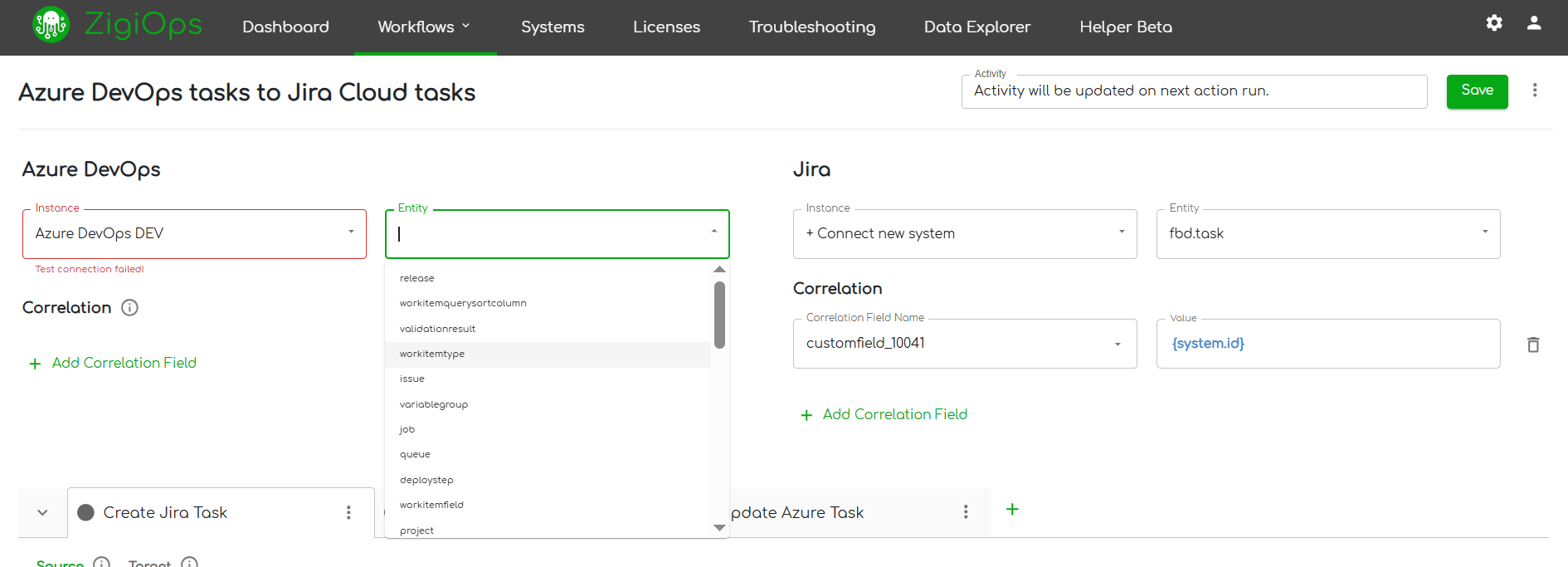
ZigiOps is a 100% code-free, standalone integration platform purpose-built for enterprise environments. It connects to both Jira and Azure DevOps via their APIs, operates entirely outside both systems, and requires no installation or configuration changes in either.
Addressing the pitfalls listed above:
• Bidirectional sync: ZigiOps supports full bidirectional synchronization between Jira and Azure DevOps, including comments, attachments, status transitions, and all standard and custom fields. Both directions are live simultaneously, with changes in either system reflected in the other in near real time.
• Custom field support: ZigiOps loads the complete schema of both systems dynamically, including all custom fields, custom issue types, and custom statuses. Every field is available for mapping through the guided UI, with no scripting required.
• Standalone architecture: ZigiOps is not a plugin. It operates as a standalone application outside both Jira and Azure DevOps. Upgrades to either system do not affect the integration. Nothing is installed inside your production environments.
• Operational visibility: The ZigiOps dashboard provides record-level visibility into every integration operation, including which records were processed, what was mapped, and what errors occurred. Troubleshooting is straightforward rather than speculative.
• Zero data storage: ZigiOps processes all data in memory during transfer and never stores customer data on its servers. It is also ISO 27001 certified, meaning the security architecture has been independently audited against enterprise compliance standards.
ZigiOps also supports unlimited transactions, so the integration does not throttle or degrade as data volumes grow. Licensing is based on connected system pairs, not transaction count, which makes cost predictable at enterprise scale.
What the Jira Azure DevOps Integration Covers With ZigiOps
The most common synchronization scenario is bidirectional task and work item sync: Azure DevOps work items creating Jira issues and vice versa, with all updates, comments, and attachments flowing in both directions throughout the item lifecycle.
Beyond task sync, ZigiOps supports:
• Jira issues to Azure DevOps work items (bugs, tasks, user stories, epics)
• Azure DevOps work items to Jira issues across any project and issue type
• Comment synchronization in both directions
• Attachment transfer in both directions
• Status and state mapping across both systems, including custom workflow states
• Custom field mapping with expression-based transformation logic
• Conditional trigger logic to control which records sync and when
Pre-built integration templates are available for the most common scenarios, reducing initial setup time significantly. Templates can be used as-is for quick deployment or customized to match your specific field mappings, project structures, and workflow states.
You can explore all available integration scenarios on the Jira Azure DevOps integration page, and see the full range of Jira and Azure DevOps integrations supported by ZigiOps on the Jira integrations page and AzureDevOps integrations page.
Six Questions to Ask Before Committing to Any Integration Platform
Use these as a practical evaluation checklist when comparing options for your Jira Azure DevOps integration:
• Is sync truly bidirectional, including comments and attachments, or only one-directional for top-level fields?
• Does the platform load the full сchema of both systems, including all custom fields, without requiring code?
• Is the platform standalone, or does it install as a plugin inside one of your production systems?
• Does the platform store any of the data it processes, even temporarily?
• What does operational visibility look like? Can you see which records were processed, which failed, and why?
• How is the platform priced? Per transaction, per user, or per connected system pair?
If a vendor cannot answer all six questions clearly and directly, that is itself useful information.
See ZigiOps Handle Your Specific Jira Azure DevOps Scenario
The best way to evaluate whether ZigiOps meets your requirements is to see it working with your actual Jira and Azure DevOps configurations, including your custom fields, project structures, and workflow states.
Book a demo and we will walk through your specific integration scenario in a live environment. Or start a cloud trial to test the integration yourself without any installation.