Pitfalls to Avoid and Best Practices when Integrating Jira with Salesforce
Pitfalls, best practices, and how to choose the right Jira Salesforce tool.
A practical guide for IT managers, system administrators, and operations leads who are planning, or rebuilding, a Jira Salesforce integration.
Why Jira Salesforce Integrations So Often Need Rebuilding
Most organizations that have attempted a Jira Salesforce integration have also, at some point, had to redo it. The first attempt works in a test environment. It goes to production. Six months later, something changes: a Jira schema update, a Salesforce release, a new custom object, a team that starts using a field differently. The integration breaks, or quietly starts producing stale data, and the rework begins.
This is not a story about technical incompetence. It is a story about integration approaches that were not designed for the real-world complexity of enterprise Salesforce and Jira deployments. The tools that look simplest to configure upfront tend to impose the highest maintenance cost over time.
This article covers the pitfalls that cause most Jira Salesforce integration projects to need rework, and the best practices that prevent it. The full technical setup guide is available in the ZigiOps documentation. This is the article to read before you commit to an approach.
What Is at Stake When the Integration Fails
Salesforce holds your customer relationships. Jira holds the work being done to support and improve them. When the integration between the two breaks or produces inconsistent data, the effects are felt immediately by real people: support agents who cannot tell customers what is happening with their issue, developers who are working on a bug without knowing it is blocking a contract renewal, account managers who are fielding escalation calls with no visibility into the engineering timeline.
According to Gartner's research on enterprise integration, poor integration reliability is one of the leading causes of data quality failures in enterprise environments. Data quality failures that touch customer-facing systems translate directly into customer satisfaction risk. This is not a back-office problem.
The cost of getting the integration wrong compounds over time. Workarounds accumulate. Teams stop trusting the integration and revert to manual processes. The manual processes introduce their own errors. And the integration sits in the background, technically running but no longer actually relied upon.
Six Pitfalls That Lead to Integration Rework
Pitfall 1: Undefined Scope Before Configuration Begins
This is the most common and the most avoidable pitfall. Teams start configuring the integration before they have agreed on what should and should not sync. Development leads have one idea. The Salesforce admin has another. The support operations team has a third. Nobody has documented any of it.
The result is an integration that syncs too much (flooding Jira with low-priority cases that have no development relevance), too little (leaving out the comments and attachments that development teams actually need), or the wrong things (syncing internal agent notes from Salesforce directly into Jira work items that are visible to the entire development team).
Best practice: Before opening a configuration UI, hold a scoping session with representatives from sales or customer success, support operations, and development or engineering. Document the trigger conditions for each integration scenario, define which fields must sync and which should not, and agree on which system is the authoritative record when the same field is updated in both systems simultaneously. Treat this documentation as a requirement, not a formality.
Pitfall 2: Choosing a Point-to-Point Connector With No Flexibility
There are many lightweight connectors available for Jira Salesforce integration, and most of them work for basic scenarios with standard fields and simple one-directional sync. The problem is that most enterprise Jira and Salesforce deployments are not basic. They involve custom objects, custom fields, non-standard workflows, and business logic that a generic connector cannot handle without scripting.
Teams choose these connectors because they are fast to configure and appear low-cost upfront. The cost appears later, in the developer time spent writing and maintaining workaround scripts, in the failed syncs that happen when either system updates a schema, and in the eventual migration to a more capable platform after the connector fails to scale.
Best practice: Evaluate platforms based on what they can do with your actual Salesforce objects and Jira issue types, including all custom fields, before you commit. Ask specifically: does the platform load the full schema of both systems dynamically? Can custom field mapping be done through the UI without scripting? How does the platform handle schema changes in either system?
Pitfall 3: One-Directional Sync That Creates a False Sense of Integration
A one-directional integration looks like it is working until a team on the receiving end tries to update something. A Salesforce case is created from a Jira issue. The support agent adds a comment. The developer never sees it because comments only flow one way. The developer resolves the Jira issue. The Salesforce case stays open because status updates do not flow back.
One-directional sync is appropriate for specific reporting or archiving use cases. For operational collaboration between development and customer-facing teams, it creates a situation where one team always has current information and the other is always behind. This defeats the purpose of the integration.
Best practice: Before selecting a tool, confirm explicitly that bidirectional sync covers comments and attachments, not just top-level fields. Ask the vendor for a demonstration of a comment added in Salesforce appearing in Jira, and a status change in Jira updating the Salesforce case. If either of these requires a workaround or custom configuration, that is a limitation to factor into your decision.
Pitfall 4: Insufficient Trigger Conditions Leading to Integration Noise
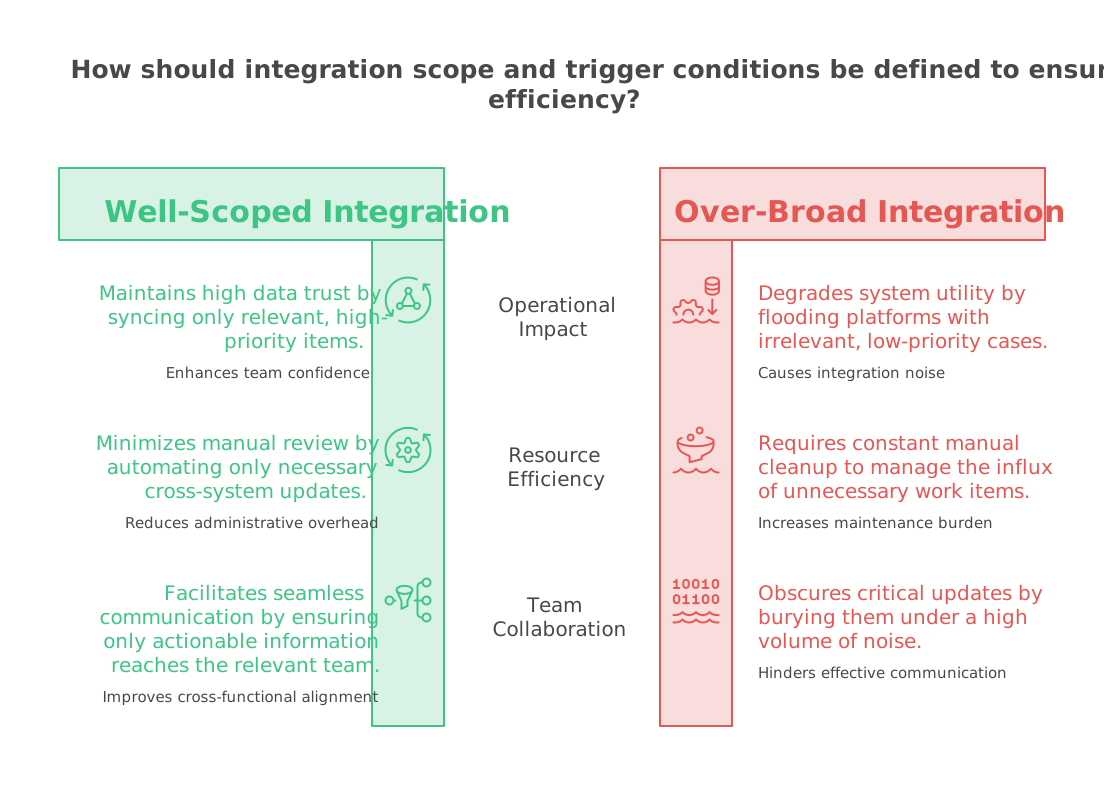
Teams sometimes configure their integration with overly broad trigger conditions: "sync all new Salesforce cases to Jira" or "create a Salesforce case for every new Jira issue." In a low-volume environment, this is manageable. In a high-volume enterprise environment, it creates integration noise that degrades trust in both systems.
When Jira is flooded with Salesforce cases that have no development relevance, developers start ignoring the integration-generated issues. When Salesforce creates cases for every internal Jira task, the support team starts questioning the accuracy of their case queue. Both teams lose confidence in the data, and the integration becomes a liability rather than an asset.
Best practice: Define precise trigger conditions from the start. For Salesforce to Jira: trigger only on cases meeting specific priority levels, case types, or escalation flags. For Jira to Salesforce: trigger only on issue types or severity levels that have genuine customer impact. Start narrow and expand trigger scope based on actual usage patterns and team feedback. An integration that does less but does it accurately is more valuable than one that syncs everything and requires constant review.
Pitfall 5: No Plan for Schema Changes and System Updates
Both Jira and Salesforce are updated frequently. Salesforce releases major updates three times a year. Jira Cloud releases continuously. Each update can introduce changes to APIs, field names, object structures, or authentication mechanisms that affect the integration.
Integrations built on hardcoded field mappings or custom scripts are brittle in the face of these changes. A Salesforce update renames a field used in a mapping. The integration silently starts sending null values to Jira. No one notices for two weeks. By the time it is identified, there are hundreds of Jira issues with missing data.
According to Salesforce's release readiness documentation, organizations should test all integrations against upcoming releases in sandbox environments before production deployment. This is good advice, but it only addresses Salesforce-side changes. Jira-side changes require the same discipline.
Best practice: Choose a platform that loads schema dynamically rather than relying on hardcoded field references. When either system updates its schema, a dynamic platform reloads the available fields automatically and alerts you to any mappings that need to be updated. This turns a potential silent failure into a visible, manageable configuration task. Also establish a process for testing integrations in a sandbox or staging environment before each major system release.
Pitfall 6: Security and Data Governance Not Addressed at the Outset
Salesforce contains customer relationship data, opportunity details, contract information, and account records. Jira may contain product roadmap information, security issue details, and internal engineering discussions. When these systems are integrated, data from both flows through the integration layer.
Many teams treat security as a post-configuration concern, validating authentication settings and then moving on. What they miss is the question of where the integration data goes during transfer. A platform that stores data in an intermediate database or cloud environment creates a third location where sensitive information resides, often without the same access controls or audit trail as the source systems.
For organizations operating under GDPR, SOC 2, or internal data classification policies, undocumented intermediate data storage discovered during an audit is a significant remediation event. It is substantially easier to address this at the platform selection stage than after deployment.
Best practice: Ask any integration platform vendor explicitly: does your platform store any of the data it processes during transfer, even temporarily? A zero-data-storage architecture, where data is extracted, transformed, and delivered entirely in memory with nothing persisted, is the correct answer for enterprise environments. Additionally, verify that the platform supports OAuth 2.0 or equivalent for authentication, uses encrypted transport for all API communication, and maintains audit logs of all integration operations. ZigiOps uses a zero-data-storage architecture and is ISO 27001 certified, meaning its security posture has been independently audited.
Pitfall and Best Practice Summary
How to Evaluate a Jira Salesforce Integration Platform
Use these criteria as a practical checklist when comparing your options:
• Dynamic schema loading: Does the platform load the full schema of both Jira and Salesforce, including all custom objects, custom fields, and custom status values, without requiring scripting?
• Bidirectional sync scope: Does bidirectional sync cover comments and attachments, not just top-level fields?
• Trigger condition flexibility: Can you define precise trigger conditions based on any field value or combination of conditions, without writing code?
• Standalone vs. plugin: Does the platform operate as a standalone application, unaffected by Jira or Salesforce upgrades, or does it install inside one of your production systems?
• Data storage policy: Does the platform store any data in transit? Can the vendor provide documentation of their data handling architecture?
• Operational visibility: Can you see which records were processed, which failed, and why, at the record level, not just aggregate stats?
• Transaction pricing: Is the platform priced by connected system pair, or by transaction volume? Volume-based pricing creates unpredictable costs and can introduce throttling at scale.
If a vendor cannot answer all of these questions clearly and in writing, that is itself a useful data point.
How ZigiOps Addresses Each of These Requirements
ZigiOps is a 100% code-free, standalone integration platform designed for enterprise Jira Salesforce integration scenarios. Here is how it maps to the evaluation criteria above:
• Dynamic schema loading: ZigiOps loads the complete Salesforce and Jira schemas on connection, including all custom objects and fields. Every field is available for mapping through the guided UI.
• Full bidirectional sync: Comments, attachments, status transitions, and all mapped fields sync in both directions in real time.
• Precise trigger conditions: Trigger conditions can be based on any field value, object type, priority level, or combination. No scripting required.
• Standalone architecture: ZigiOps operates entirely outside Jira and Salesforce. Nothing is installed inside either system. Upgrades to either platform do not affect the integration.
• Zero data storage: ZigiOps processes all data in memory during transfer and never stores customer data on its servers.
• ISO 27001 certified: ZigiOps's security architecture has been independently audited and certified against enterprise compliance standards.
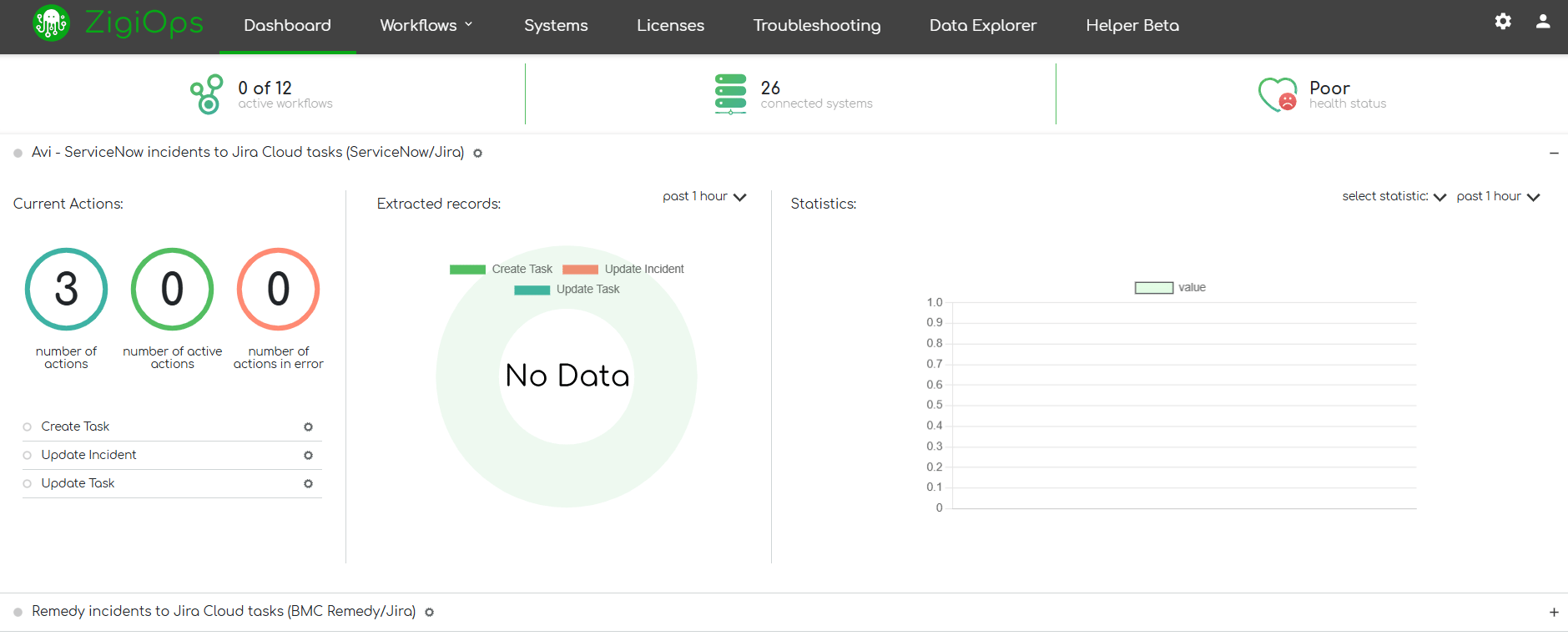
• Full operational visibility: The ZigiOps dashboard provides record-level visibility into every integration operation, including processing status and error detail.
• Unlimited transactions: No per-transaction pricing or volume caps. Licensing is based on connected system pairs.
Explore the full integration capabilities on the Jira Salesforce integration page. See the full range of supported Jira integrations on the Jira integrations page and supported Salesforce integrations on the Salesforce integrations page.
Ready to Build an Integration That Holds Up?
The fastest way to validate whether ZigiOps fits your specific Jira Salesforce integration requirements is to see it handling your actual Salesforce objects and Jira issue types, including your custom fields and workflow states.
Book a demo and we will walk through your scenario in a live environment. Or start a cloud trial and test it yourself without any installation.