Deduplication in Zendesk-Salesforce Integrations
Learn how to overcome the Zendesk Salesforce integration duplications
Deduplication sounds like a solved problem. You match on email, skip the duplicates, move on. If only enterprise data were that cooperative.
The reality of syncing Zendesk and Salesforce is considerably messier. Two systems with fundamentally different ideas about what a customer record looks like, a data model mismatch that runs deep, and a production environment full of historical quirks that no one fully documented. When the integration fires for the first time and the duplicates start flowing, the instinct is to blame the platform. More often, the root cause is a dedup strategy that was never really designed for the complexity underneath.
This article breaks down seven specific places where deduplication logic breaks down in Zendesk-Salesforce integrations, what actually causes each failure, and how ZigiOps gives you the configuration tools to address them without writing a single line of code.
Why is deduplication so hard in a Zendesk-Salesforce integration?
Because the two systems model the same concept - a customer - in completely different ways. Zendesk operates with Users and Organizations. Salesforce operates with Leads, Contacts, Accounts, and optionally Person Accounts. Bridging those models cleanly requires deliberate design at every layer of the integration, not just a field match on email.
The stakes are not abstract. Gartner estimates that poor data quality costs organizations an average of $12.9 million per year - and duplicate records in CRM environments are consistently among the leading contributors. In a Zendesk-Salesforce integration, that cost doesn't stay theoretical for long.
.svg)
1. Email Alone Will Betray You: Why It's a Weak Deduplication Key
Email feels universal. It's present in almost every record, it's human-readable, and it's the first thing anyone reaches for when designing a matching key. That instinct is understandable and almost always wrong.
In practice, the same person frequently appears with different email addresses across Zendesk and Salesforce. A customer may have submitted a ticket using their personal email before their company bought a license. A sales rep may have entered their work email in Salesforce. Same human, two records, zero match.
The failure modes run in both directions:
- Missed merges: One person appears multiple times because their email variants don't match. Each variant spawns a new Zendesk user. Your support team suddenly has three accounts for the same contact.
- False merges: A shared support alias ([email protected]) or a family account where two people share an email address causes two genuinely different people to be collapsed into one record.
- Missing emails entirely: Zendesk users created through chat, phone, or social channels frequently have no email populated at all. Email-only dedup logic simply skips them, or worse, fails silently.
What should you use instead of email as a dedup key in Zendesk-Salesforce integrations?
The most reliable approach is to use a stable, system-generated unique identifier as the primary correlation anchor. In Salesforce, that means the Contact's native ID field, or a custom external ID field you've explicitly provisioned for cross-system reference. In Zendesk, it means a custom user field that stores the corresponding Salesforce ID from the moment of first sync.
ZigiOps supports configurable Correlation fields, meaning you're not locked into email as the matching key. You can define multi-field matching logic - for example, email combined with phone number, or a Salesforce external ID validated against an account domain. The Correlation section in ZigiOps is where dedup identity is established, and it's flexible enough to mirror whatever matching logic your data model actually requires.
2. The Race Condition Nobody Warns You About
Picture this: a new customer fills out a support form in Zendesk at 10:03 AM. At 10:03:45 AM, a sales rep creates the same person as a Contact in Salesforce. Your integration polling interval is 60 seconds. The sync fires at 10:04 AM.
At that moment, both records are brand new. Neither one carries a cross-system identifier yet. The integration has no way to know they represent the same person, so it creates a second Zendesk user from the Salesforce Contact. You now have two Zendesk users for the same human, and neither carries a link to the other.
This is a race condition: two systems both acted on the same real-world entity in the window before any sync could establish a shared reference ID. The result is what practitioners sometimes call a ghost duplicate - a record that was never linked on creation and therefore falls outside all standard update-sync logic going forward.
Ghost duplicates are particularly dangerous because they don't generate errors. The integration ran correctly. Both records are valid. There's no failure flag to investigate. You only discover the problem when a customer calls and your agent sees two separate profiles.
Mitigating this in ZigiOps involves two practices used together. First, the Last Time expression establishes a temporal boundary - ZigiOps uses it to collect only records created after the last successful sync, preventing infinite re-collection of the same data. Second, and more critically, configuring an immediate write-back of the Salesforce Contact ID to a Zendesk custom user field on first sync means that any subsequent sync of that record will find its correlation anchor already in place. Once that ID is written to both sides, race conditions from that point forward resolve correctly.
For high-volume environments where simultaneous creation is frequent, tuning the polling interval tighter and pairing it with a dedup review query that compares records created within overlapping time windows is a practical operational safeguard.
3. Dedup and Conflict Resolution Are Not the Same Problem
This distinction gets confused more often than any other in integration projects. The two problems sound similar, sometimes get described with the same vocabulary, and often affect the same records. But they are architecturally separate, and treating them as the same issue leads directly to misconfigured integrations.
Deduplication is an identity question: do these two records represent the same real-world entity? It happens before any data is moved. If dedup fails, you get extra records.
Conflict resolution is a value question: when the same record has been updated in both Zendesk and Salesforce since the last sync, which system's version of a field value should win? It happens during the sync itself. If conflict resolution fails, you get wrong values on correct records.
You can have perfect conflict resolution logic and still accumulate duplicates. You can have perfect dedup and still have records with incorrect field values. They must be designed and configured independently.
In ZigiOps, these two concerns map to distinct configuration areas. The Correlation section is where dedup identity is established - you define the fields ZigiOps uses to determine whether an incoming record already exists on the target side. The field mapping conditions section, where you configure conditional logic based on source field values, is where conflict resolution lives. Both need deliberate configuration. Neither is a default.
4. The Salesforce Person Account Trap
Person Accounts are Salesforce's solution for B2C organizations that don't have the classic B2B Account-Contact hierarchy. When Person Accounts are enabled, a single customer can exist simultaneously as a Lead (pre-conversion), a Contact (post-conversion), and a Person Account - three distinct Salesforce records, three distinct IDs, representing one human.
In older or less-governed Salesforce orgs, this situation is more common than it should be. Sales worked in one part of the org, customer success in another, and nobody ever cleaned up the pre-conversion Lead records after the Contact was created.
For a Zendesk integration, this is a direct problem. Zendesk has one object type for customers: the User. An integration that treats Lead, Contact, and Person Account as separate source entities - without explicit dedup logic across all three - will create up to three Zendesk users for the same person.
Salesforce's own Duplicate Management training makes clear that resolving and preventing duplicate records is foundational to user confidence in CRM data -- and that's before a second system like Zendesk enters the picture. The field availability and API behavior for Person Accounts differ meaningfully from standard Contacts, so reviewing this before configuring any sync is time well spent..
ZigiOps handles this through separate, explicitly configured integration workflows per Salesforce entity type. Because ZigiOps is a standalone application - not a plugin bound to a single sync path - you can configure distinct flows for Leads, Contacts, and Person Accounts, each writing the canonical Salesforce record ID to the same Zendesk custom user field. When ZigiOps evaluates correlation during a subsequent sync, it finds that Zendesk user field already populated and matches rather than creates. The result: one Zendesk user per real person, regardless of how many Salesforce objects represent them.
The key configuration requirement is consistency: all three workflows must reference the same Zendesk custom field as the correlation anchor, and the Salesforce ID written to it must come from the canonical record - typically the Contact or Person Account, not the Lead.
5. You Can't Deduplicate Contacts Without First Deduplicating Accounts
This is an architectural dependency that gets overlooked until it causes data chaos, usually during or after the first major sync.
Contacts in Salesforce belong to Accounts. Users in Zendesk belong to Organizations. If your Account-to-Organization mapping hasn't been deduped and stabilized first, your Contact-to-User dedup logic inherits all of that ambiguity. Two Contacts with the same email but different Account IDs might be two distinct people at two different companies - or they might be the same person at the same company that appears twice in your Salesforce Account list.
Without clean Account-Organization matching, the integration can't make that determination reliably. You end up routing Contacts into the wrong Zendesk Organizations, creating phantom Organizations, or deduping the wrong records together because the org-level context was never resolved.
The practical approach in ZigiOps is to configure and run Account-to-Organization sync first, in isolation, before activating any Contact-to-User sync. Establish the Organization correlation IDs, validate them, and only then bring Contacts into scope. ZigiOps supports running these as separate integration workflows with independent polling intervals, so you can sequence the initial sync deliberately rather than letting both run simultaneously and hoping the ordering works out.
This sequencing also makes troubleshooting significantly easier. If Contact dedup fails after the Account layer is clean, you know exactly where to look.
6. The Initial Sync Is Where Everything Goes Wrong (If You're Not Ready)
This matters more than most teams expect before go-live. Experian's Global Data Management Research found that organizations believe roughly a third of their customer and prospect data is inaccurate, and only half believe their CRM data is clean enough to be fully leveraged. That's the data state most integrations are connecting to on day one.
Here's the uncomfortable truth about day one: if Salesforce already has duplicate Contacts before ZigiOps connects, the integration will faithfully replicate those duplicates into Zendesk. ZigiOps is a sync engine, not a data cleansing tool. It moves what's there. If what's there is messy, the mess moves with it.
This is not a platform limitation - it's a data governance reality that applies to any integration tool. The question isn't whether the platform should clean your data (it shouldn't), but whether you're ready for the sync before you trigger it.
Historical dirty data creates two specific problems on day one:
- Volume problem: A Salesforce org with 50,000 Contacts and 8,000 duplicates doesn't import 50,000 Zendesk users. It imports 58,000. Your Zendesk instance immediately contains 8,000 users that should never have existed.
- Conflict inheritance: Records that have diverged across years carry conflicting field values. The first sync has to make conflict resolution decisions that will affect every update sync going forward. If those initial decisions aren't explicitly configured, the results are unpredictable.
The recommended sequence before activating any ZigiOps sync:
- Export and audit: Run a Salesforce dedup report to identify duplicates before the integration touches anything.
- Merge and resolve: Use Salesforce's native Duplicate Management, or a purpose-built data quality tool, to consolidate duplicate records and establish canonical IDs.
- Set canonical external IDs: Populate a dedicated external ID field on every Contact that will serve as the ZigiOps correlation anchor.
- Then connect ZigiOps.
Within ZigiOps, the Last Time expression is your primary control for managing the initial sync blast radius. By setting a specific start date, you can limit the first sync to records modified after a certain point, pulling current active records rather than years of historical data in a single wave.
It's also worth noting: ZigiOps does not store any of the transferred data. Records pass through ZigiOps during sync and are not retained in any integration layer. This means historical dirty data doesn't accumulate inside the platform itself - the risk is entirely on the source system side, which is where the cleanup belongs.
Gartner research on data quality and integration strategy consistently identifies pre-integration data governance as one of the highest-impact activities before any system connection goes live.
7. Dedup Isn't Set-and-Forget: Monitoring for Failures in Production
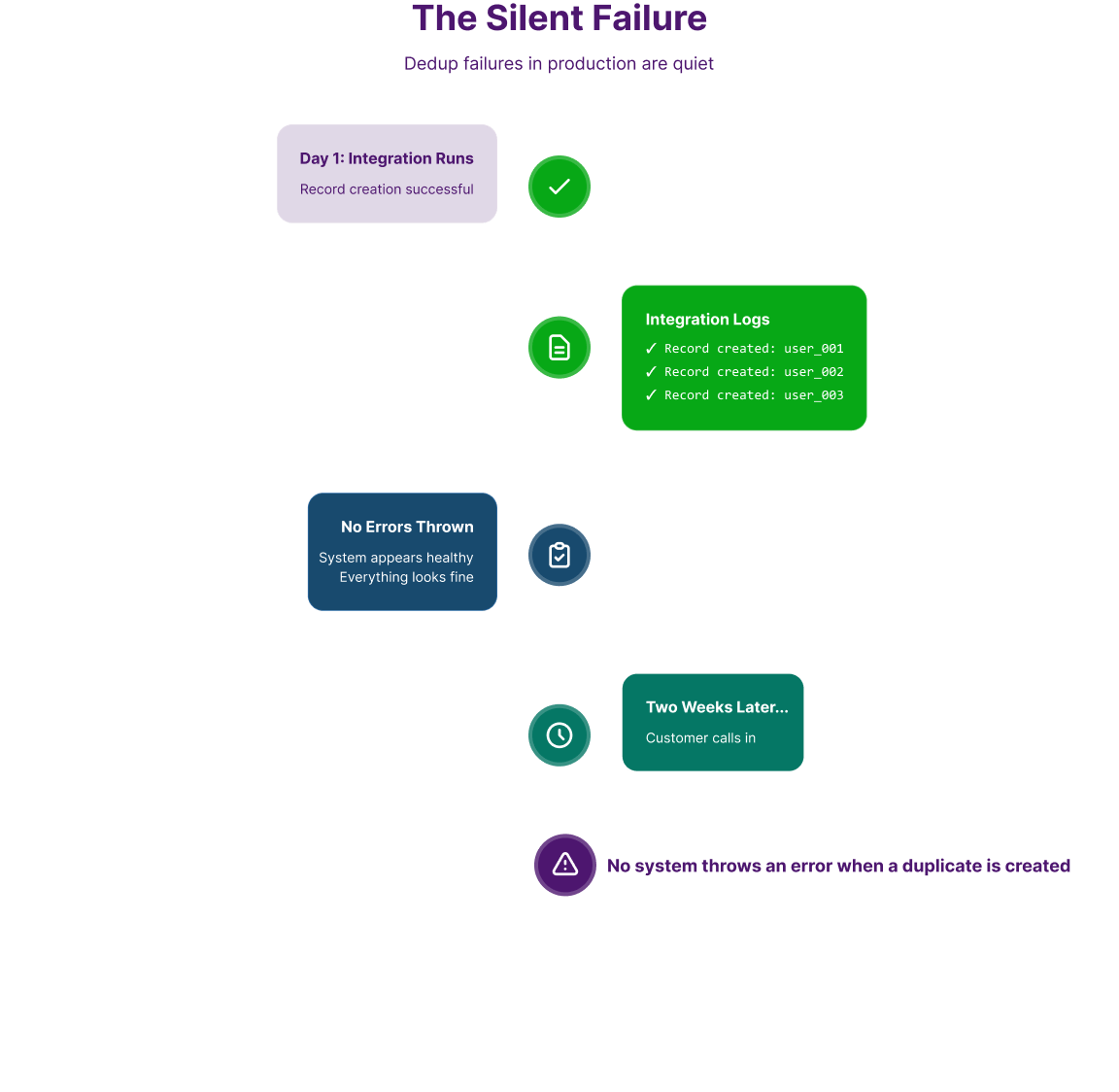
Dedup failures in production are quiet. No system throws an error when a duplicate is created. The integration logs show successful record creation. Everything looks fine. Two weeks later, a customer calls and your agent is looking at three separate Zendesk user profiles for the same person.
The absence of noise is part of what makes ongoing monitoring important. Dedup configuration that worked correctly at launch can drift as data patterns change - new Salesforce workflows that create records differently, new customer channels in Zendesk, a bulk import that bypassed the standard sync path.
Signs That Dedup Is Failing in Production
- Unusual growth in Zendesk user count, particularly after a Salesforce data import or a new workflow launch.
- Customers reporting that they have to authenticate multiple times or that their ticket history appears split across accounts.
- Support agents seeing multiple Zendesk user profiles for the same email domain with slightly different naming.
- Zendesk Organization records appearing with no associated users, or duplicate Organizations sharing the same Salesforce Account.
What ZigiOps Provides for Observability?
ZigiOps maintains integration logs that record each record transaction: what was collected from the source, what action was taken on the target (create or update), and whether the operation succeeded. Admins can review these logs to identify patterns such as repeated creation events for records that share identifying characteristics, which signals that correlation matching isn't firing correctly.
Because ZigiOps doesn't store transferred data, the logs reflect the transaction history without the platform accumulating a secondary copy of your customer records. The observability is operational - what happened, when, and whether it succeeded - rather than a data warehouse.
For sustained dedup monitoring, pair ZigiOps logs with a scheduled reconciliation query in Salesforce that counts Contact records per external ID field: any null external ID after go-live indicates a record that ZigiOps never matched and therefore may have created as a duplicate in Zendesk.
For practical guidance on field mapping and correlation configuration, the section with resources on the ZigiWave blog cover these patterns in detail.
Why ZigiOps Handles This Without the Code Overhead?
Every problem described in this article has a configuration-layer solution in ZigiOps. None of them require custom scripting, API development, or middleware engineering. That matters specifically for deduplication work, which tends to require iteration: you configure a matching strategy, test it against real data, discover an edge case, and adjust. With a 100% code-free platform, that iteration cycle is measured in minutes rather than sprints.
A few characteristics of ZigiOps that are directly relevant to dedup-heavy integrations:
- Configurable Correlation fields: Not locked to email. You define the matching key or composite key that fits your actual data model.
- Conditional field mapping: Conflict resolution logic is expressed through conditions on source fields, not code. Point-and-click configuration with full logical operator support.
- Separate workflow sequencing: Account and Contact syncs can be configured and run independently, enabling the cascading dependency approach described above.
- Last Time expression: Built-in temporal boundary control for managing what gets collected and when, critical for both initial sync and ongoing dedup prevention.
- No data storage: ZigiOps passes data through during sync and retains nothing. Your customer records stay in your systems, and your integration layer stays clean.
- ISO 27001 certified: Enterprise-grade security for the data that does pass through, with audit trails and access controls appropriate for production CRM environments.
- Unlimited transactions: No per-record costs or transaction caps. Dedup-heavy initial syncs that process large record volumes don't generate unexpected billing.
- Standalone application: ZigiOps is not a Salesforce plugin or a Zendesk app. It operates independently, which means it's not subject to the permission models, version constraints, or deprecation cycles of either platform's app ecosystem.
Deduplication Done Right Is a Design Decision
The seven failure modes covered here - unreliable email keys, race conditions, concept confusion, Person Account complexity, cascading dependencies, dirty initial data, and silent production drift - aren't edge cases. They're the standard set of problems that emerge when two systems with different data models are connected without explicit dedup architecture.
None of them are insurmountable. Each one has a concrete configuration response in ZigiOps. But they all require deliberate design before the first sync fires, not troubleshooting after the duplicates have already spread.
ZigiOps gives integration architects the building blocks to address deduplication in Zendesk-Salesforce integrations correctly: configurable correlation, conditional mapping, sequenced workflows, temporal boundaries, and transaction logs - without writing a single line of code, with ISO 27001-certified security, and with no data retained in the integration layer.
Ready to build a Zendesk-Salesforce integration that handles deduplication the right way? Book a demo and we'll walk through your specific data model with you.